• On CBS MoneyWatch: Report: Tiger to Pay Wife $60 Million
March 6, 2009 7:30 AM PST

Kindle is not the best iPhone e-reader

by Don Reisinger
  • Font size
  • Print
  • 18 comments
Share

By now, you know you don't need a Kindle 2 to read books electronically. You can use the new Kindle for iPhone app.

But Kindle's not the only way to read books on a iPhone or iPod Touch. There are two other readers well worth checking out:

The apps

eReader
eReader

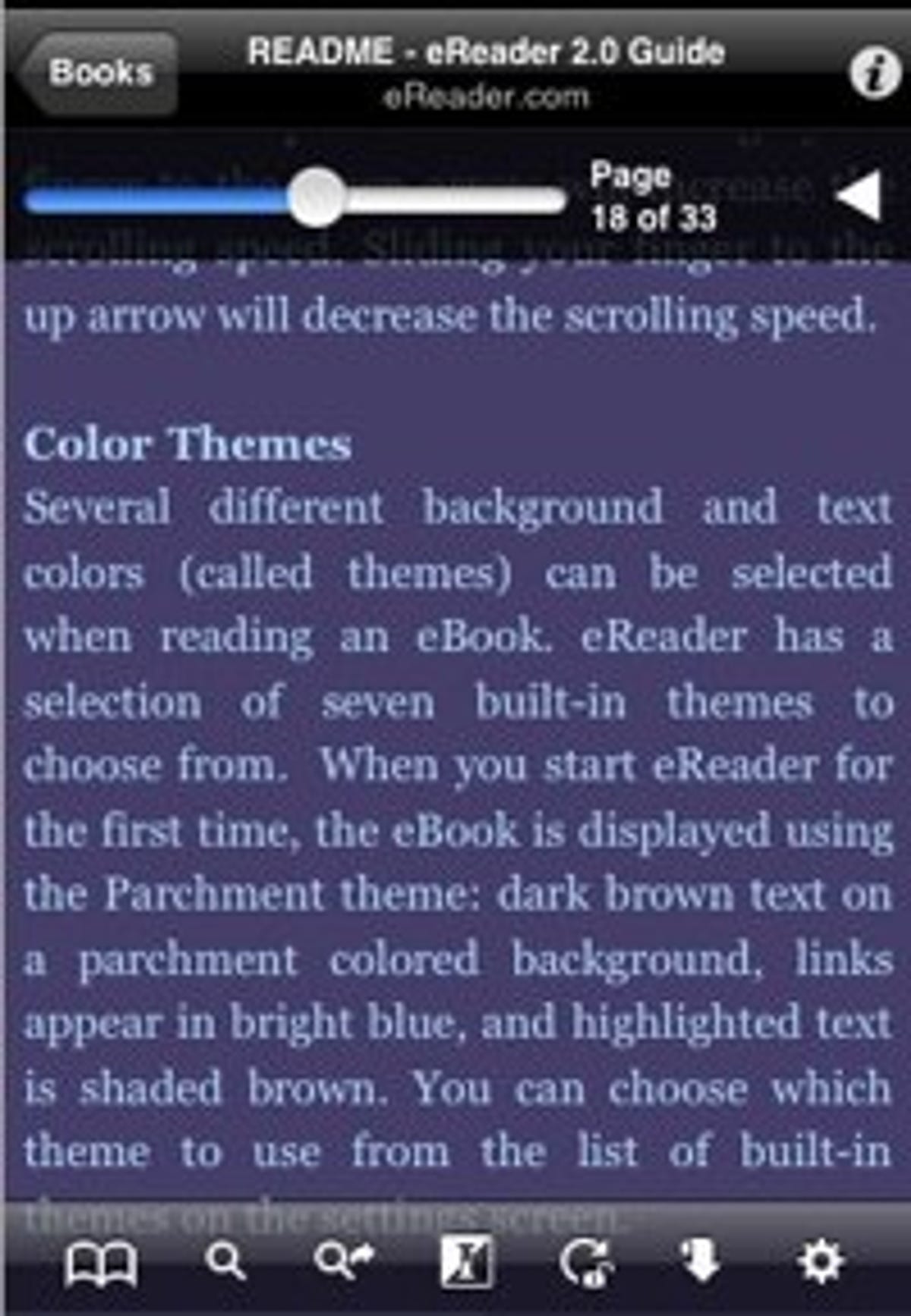
eReader's slidebar makes flipping pages easy.

(Credit: Don Reisinger/CNET Networks)
eReader is one of the most popular iPhone apps in the Apple App Store and it's the second-most downloaded program in the store's "Books" section. It's well liked for good reason.

eReader is designed extremely well, and it makes flipping through pages of your free books or premium titles easy. If you want to skip to a certain page, you can use a slidebar above the text to flip through the book. It's a simple feature, but you shouldn't overlook it; this is an ideal way to skip pages that more eBook readers should adopt.

eReader has great features. When you decide to stop reading for a while, it remembers the page you are on in each book you have in your account, and it allows you to wirelessly transfer eBooks to the iPhone's local memory so you don't need to worry about a Web connection to keep reading.

That said, I was a little disappointed with the eReader's dictionary integration, which is too difficult to use. And while the program allows you to change font styles and sizes, I found that the bigger the text size, the worse the experience. And due to the fact that the iPhone has such a small screen, it was somewhat difficult to see default text at times, so I found myself playing with the font size often in an attempt to cut down on scrolling left and right to read the book.

The selection of books offered in eReader is outstanding. Believe it or not, there are over 60,000 titles available to purchase, which include authors ranging from Stephen King to Howard Stern. And much like Stanza, you can buy those titles from Fictionwise.com. If you don't want to pay for the books, you can get some titles for free from Project Gutenberg. Regardless of whether you want new titles like Artie Lange's "Too Fat to Fish" or classics like "Romeo and Juliet," eReader has it all. And the sites are constantly updated with new titles, so you won't be missing out.

If eReader was a paid app, I'd be hesitant to recommend it because of how difficult it can be (at times) to read certain books. But since it's free and offers a slew of titles at no cost, it's definitely worth trying out and using if you don't want to buy a Kindle 2.

Stanza
Stanza

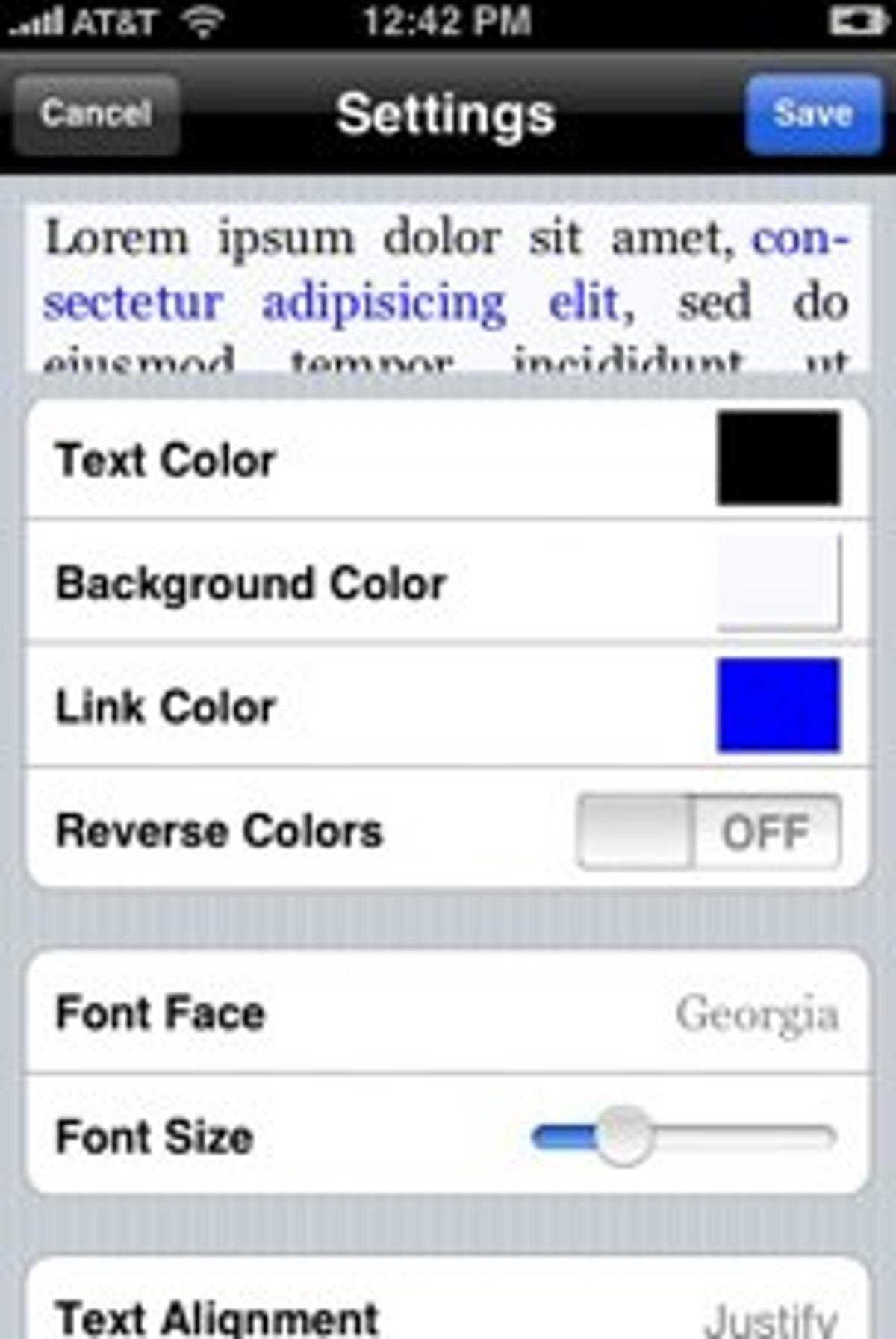
Stanza makes personalizing the text quick and easy.

(Credit: Don Reisinger/CNET)
Stanza is the most-downloaded eBook app on the App Store and it gets that prize for good reason: it's the best application in this roundup.

Unlike the Kindle for iPhone app, Stanza allows you to read much more than just books. In fact, the program also lets you access newspapers and online sites, and supports MS LIT, epub, Mobipocket, and PalmDoc eBook formats. You can even view Word documents and PDF files in Stanza.

Buying books and getting them into Stanza is simple. The easiest way to access titles and start reading them is through the Fictionwise Reader Store, accessible within the app. It claims to have over 50,000 titles. In my search, it had everything I was looking for on topics ranging from history to sports to fiction. I didn't have any trouble getting those books and reading them with the app.

Reading eBooks in Stanza is easily the most appealing when compared with its competitors. The app provides for multi-column views or standard book layout view. And by swiping the screen, you can move up, down, left, and right. You can flip pages with just a tap on the screen. You can also change the color, size, and font of your text with a slidebar. Combine those options and you can easily create an experience that can be tailored to your liking.

Much like eReader, I was impressed by the selection Stanza offered. If you want newer titles and you're willing to pay for them, Stanza allows you to download books from Fictionwise.com. If you want free titles or those you simply can't find elsewhere, you can also use Project Gutenberg. That may not help Stanza differentiate itself from eReader (the selection is practically the same), but I found that with both services at your disposal, you won't be wishing for more titles. In fact, I found books from Stephen Ambrose, Edger Allan Poe, and a slew of other writers. Suffice it to say that, like eReader, Stanza's title selection is outstanding.

The real value of Stanza goes beyond books you can buy or those you can get for free from Project Gutenberg. Because it supports periodicals and Web sites, Stanza is the closest you can get on the iPhone to using the Amazon Kindle--the real Kindle, not the iPhone app. And although it's hobbled by the iPhone's smaller screen, it still provides an outstanding experience (for free, no less) that you definitely should try out in place of Amazon's device.

Kindle for iPhone
Kindle for iPhone

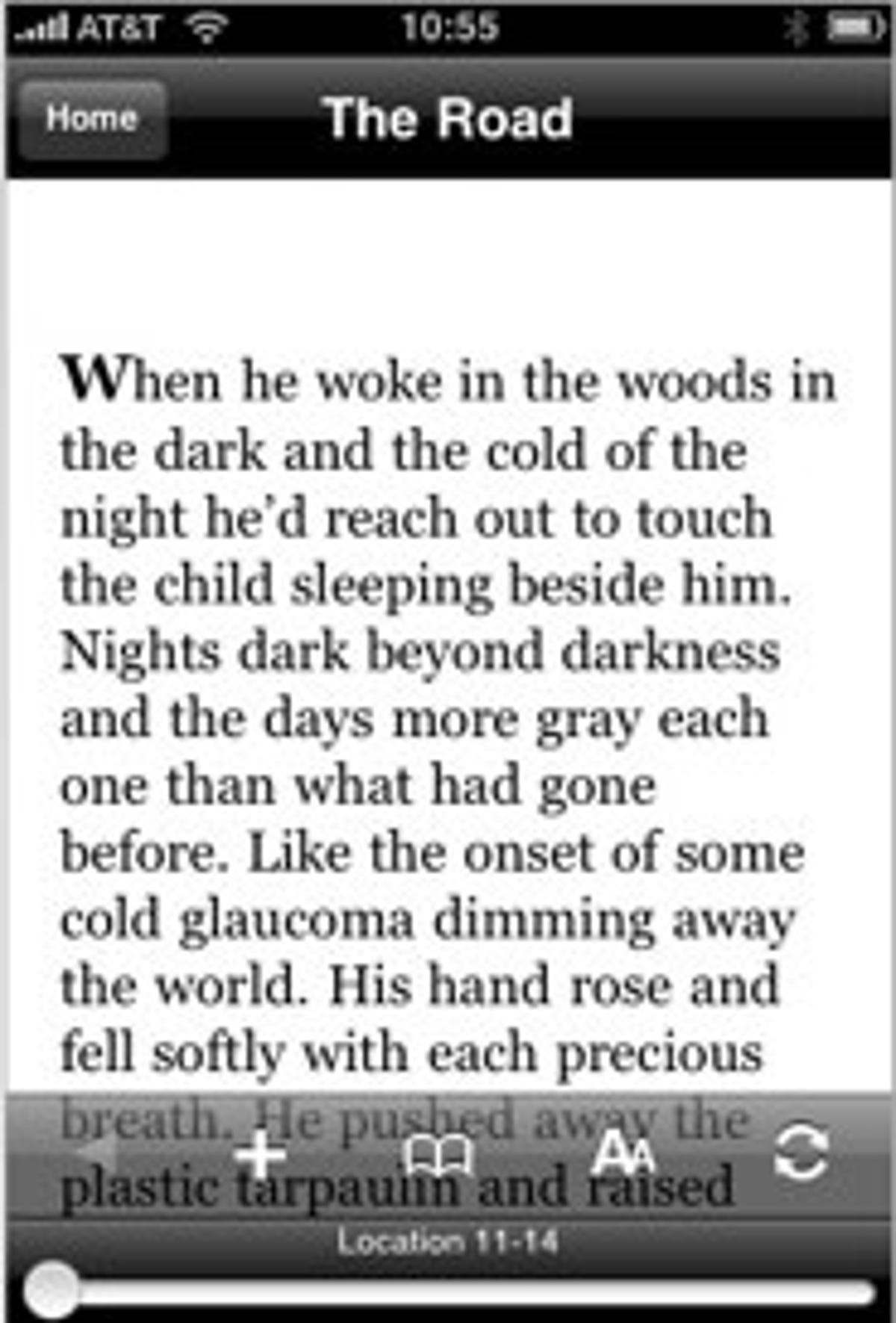
Kindle for iPhone is good, but not great.

(Credit: Don Reisinger/CNET)

Getting going on the Kindle for iPhone application is a snap. When I loaded it for the first time, I was prompted for my Amazon username and password. Once entered, I was brought to the Amazon front page, which featured all of the books that I had purchased for the Amazon Kindle device prior to this review. Since I already purchased those titles, I was able to quickly access them and start reading. And much like the eReader app, Kindle for iPhone remembers where I left off, so I never needed to flip through pages to find my spot.

I was generally impressed by the experience Kindle for iPhone created. Turning the page is achieved by swiping your finger across the screen, and as on the Kindle itself, you can bookmark pages, change font size, and sample the titles before you decide to buy.

But one feature is conspicuously missing: the Kindle application does not support newspapers. You'll be forced to read only books in the application. And if you want to read articles from the newspaper, you'll be forced to do it the old-fashioned way by using Safari.

You also can't buy any books in the app. Instead, you'll be forced to use Safari on the iPhone to go to Amazon's Kindle Store and buy a book there. It's annoying and a confusing decision that makes the value of this app decline significantly. However, you can't beat the selection of current titles that Amazon has available for download.

Reading books on the Kindle app was appealing, and I was generally impressed with the experience. Amazon did a nice job of making the iPhone feel like the Kindle. Kindle for iPhone is free, so you won't need to worry about dishing out any more cash than what's necessary to buy books for the device. But since it's difficult to buy those books and you can't read newspapers, I'm hard-pressed to recommend this program. If you really want a Kindle, don't use this app; buy the device.

Books as apps
Shakespeare

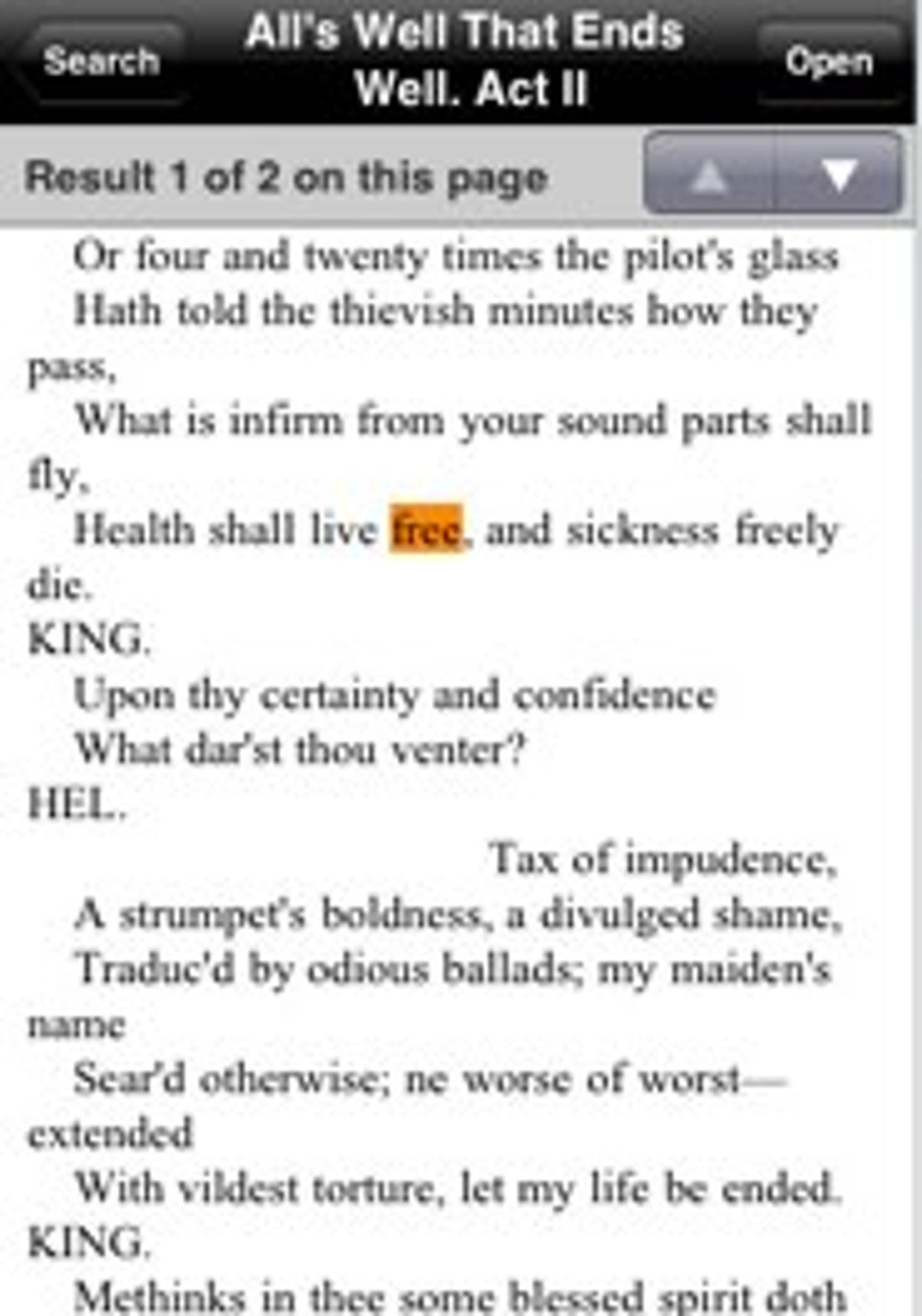
You don't need an Reader to read Shakespeare.

(Credit: Don Reisinger/CNET)
Just because there are eBook readers in the App Store, it doesn't mean that you need to use those if you want to read books. Believe it or not, your iPhone is all you'll need.

The App Store has a relatively limited number of books for sale as apps. Since you don't need an additional e-book reader to read through them (the books have reader software built-in), it's an affordable way to get into the e-book market.

I downloaded a few titles on my iPhone and found that, generally, the experience was about the same as you would expect from any other reader on the device. That said, you won't be able to customize the way the books are displayed as easily and each title is a standalone, so you can't have multiple books housed under one icon, like you can with eReader or Stanza.

Overall, the reading experience was fine when I picked individual books and each title remembered where I left off. Swiping to the left allowed me to go to the next page and the "pinch" feature let me zoom in on different parts of the page. It made reading intuitive, but once again, trying to find the sweet spot that balances both font size and readability was difficult.

Individual book pricing is all over the map. Some titles are free in the App Store and others cost more than $20. It all depends on the book. But you probably won't be blown away by the selection. And at $20--given the price of "real" books--I'm not convinced that it's even worth it.

Cream of the crop

If you don't want to switch to the Kindle 2 and you want to use your iPhone to read eBooks, try Stanza first. It's free, it's full-featured, it offers the best reading experience, and it does much of what the Kindle can do in a smaller (and more affordable) package.

Don Reisinger is a technology columnist who has written about everything from HDTVs to computers to Flowbee Haircut Systems. Don is a member of the CNET Blog Network, and posts at The Digital Home. He is not an employee of CNET. Disclosure.

Add a Comment (Log in or register) (18 Comments)
  • prev
  • 1
  • next
by swisshound March 6, 2009 8:16 AM PST
Stanza is a great app but the books on Kindle for iPhone are cheaper. While the Stanza app more easily allows for download and purchase of the books on the iPhone I don't have a problem spending 10 minutes shopping for a cheaper book at my desktop and then reading it on my iPhone.
Reply to this comment
by psionbeta March 6, 2009 8:17 AM PST
For all of these reader apps, you need to get a stand that is fully adjustable. So far, the only I've seen is at www.nimblesource.com/podium Being fully adjustable means that you can use it on your desk or nightstand or table and have a handsfree viewing experience.
Reply to this comment
by john94857 March 6, 2009 8:28 AM PST
For on-the-go reading, I may be okay with using iPhone and programs such as eReader, Stanza, Kindle for iPhone, but Kindle 2 is designed to be much easier to read than most backlit LCD screens so for serious and at-length reading, I would take Kindle 2 in general.

At the risk of sounding like a broken record, while I am very interested in Kindle, I am still waiting for these books to be DRM free. It?s just so much easier and ?thought-free? when I don?t have to worry about DRM and how I use something.

Speaking of DRM-free, Amazon does have an awesome MP3 store that is DRM-free with a large selection and often good prices. It would be nice if they had the same thing with books.

On the note about Amazon, I recently came across an interesting table that details the discounts on Amazon.

It is at http://www.uberi.com

Maybe someone will find it useful too.
Reply to this comment
by tannerlindsay23 March 6, 2009 8:43 AM PST
I'm not sure if "more affordable" is appropriate here. Sure if you get the iPod Touch it could be cheaper, but no 3G or internet outside of WiFi. If you get an iPhone, the service charges will quickly exceed any cost for the Kindle.
Reply to this comment
by SunnyGuy53 March 6, 2009 10:23 AM PST
But you might figure out a way to use your new iPhone for more than just reading books.

Personally, I use mine for phone calls, text messaging, email, web browsing, calendaring,
weather checking, to-do lists, checking stocks, viewing uTube, etc.

YMMV,
Sunny Guy
by beljam March 6, 2009 8:45 AM PST
I use both Stanza and eReader, and I like both (I prefer eReader for books, and Stanza for shorter articles and offline webfiction or other converted web content), but I have to tell you your review missed the mark on several points. You can turn the page in eReader with either a tap or a swipe. I'm also not sure how you came to need to scroll right and left - even when I sent the font size to the largest setting, I cannot get words to go off the edge of the screen. Before you mentioned it, I was not aware that it even supported scrolling side-to-side.

Also, none of these apps reads online, they all download the books first, then open them.

As for the selection, Fictionwise owns eReader, and finished unifying the inventories some time ago. Stanza downloads eReader format files from Fictionwise (from most stores, Stanza downloads ePub), so while the Fictionwise store sells some books in other formats (MS Lit, PDF, etc.) the ebook selections are essentially identical. No doubt some books were missed, but it is complete enough that Fictionwise has asked their customers to email if they find any books available (in eReader) on one site and not the other. If you are seeing significant differences in what is available on Stanza vs. eReader, something is very wrong.

I have tried Kindle for iPhone, and it is not bad, but they need to flesh out the features more before I will attempt to read an entire book. Specifically, I would want to be able to select the font (I prefer sanserif), the colors (I invert the colors when I read at night) and I would want to be able to rotate the screen, and lock the rotation when needed.

You might take another look at those apps you just reviewed and try again.
Reply to this comment
by ddanckaert March 6, 2009 9:16 AM PST
I'd like to try the iPhone Kindle App, but it keeps telling me I don't have Internet service and to check my WiFi connection. Sadly, I have perfect Internet service. I tried rebooting, reinstalling, etc. No luck. Strangely, I can click on the "I forgot my password" link and it comes right up, but when I try to register my existing Kindle account, it doesn't work. Uninstalled with 1 Star rating. Baaadd Amazon....
Reply to this comment
by Tatsuo2009 March 6, 2009 9:31 AM PST
Great article. I do have to disagree with Mr. Reisinger on a comment that he made on the eReader: "I was a little disappointed with the eReader's dictionary integration, which is too difficult to use. ". That feature alone is one that, in my humble opinion, completely differentiates the eReader application from the others. The dictionary integration could not have been easier!
I used to read books on my Palm PDA from eReader. When the application became available to the iPhone, I simply downloaded the dictionary that I had previously purchased to my iPhone (Webster's unabridged dictionary), and that was it. Simply tapping on a word brings up the selection window that asks if you want to add a highlight, note or to look-up the word in the dictionary.

I have downloaded the Kindle and I found the application pretty basic at this point in time. It is only the first release of the product, after all.
I did find a feature that I really liked: The ability to download a sample of the book (the first chapter or dozen or so pages). At the end of the sample, it gives you the option to buy the complete book. Very slick!
I also did a little comparison shopping and I found much better prices on Amazon.com for the same books as the eReader store.
Reply to this comment
by raeganhill April 12, 2009 4:36 PM PDT
Hi Tatsuo2009! I'm so glad I read your comment! I didn't know that eReader allowed you to highlight text! That's what I have been looking for for months! Now I can read books on the go and highlight them so I can refer back to the information.

Thank you!
Raegan
by Norbyf March 6, 2009 9:55 AM PST
I already own a Kindle and am thinking of buying an iPhone. The advantage for me of the Kindle iPhone app over Stanza or eReader is that I have access to all the books I have already purchased for the Kindle.
Reply to this comment
by ashish_12 March 6, 2009 11:29 AM PST
~~~~~~~
And if you want to read articles from the newspaper, you'll be forced to do it the old-fashioned way by using Safari.
~~~~~~~

Actually you could use the PressDisplay Reader for iPhone. I haven't checked it out yet but I have used pressdisplay.com on the PC and it is magnificent! It is like picking up a newspaper from a newstand, pretty much anywhere in the world.
Reply to this comment
by njw99 March 6, 2009 12:05 PM PST
I prefer eReader over Stanza, but the iPhone eBook reader I mostly use is Libris. It has a lot of the eye candy of Classics, the large selection of free content of Stanza, access to books I have purchases from Fictionwise, and the ability to import other books from my computer.
Reply to this comment
by wendyhudson March 6, 2009 2:06 PM PST
I'm an independent bookseller so i'm checking out every digital reader that comes along in order to know what where this business is headed. I have a Kindle 2, which i hate, and an iPhone, which I love. It's loaded with every reader app I can find: kindle for iphone, stanza, ereader, the one called classics (with cute little illustrations of books on a wooden shelf & audible flipping pages), and books as apps (O'Reilly's iPhone the Missing Manual is the most popular I believe).

My favorite reading experience though is on a reader called BeamItDown, because it scrolls the text, taking advantage of the technology instead of being limited to a traditional idea of a page. It even speeds up and slows down according to how you tilt the phone. Very handy when you're other hand is occupied, like when you're commuting. So far i think they only offer public domain titles, but it's all free so check it out. I think ebook developers should be following this lead.

My big question is whether there's a role for tradtional stores in all this.
Reply to this comment
by bcraun March 7, 2009 5:48 AM PST
Does anyone not see the inability to read in landscape mode a problem? As a software engineer, I routinely need to read technical books laden with code samples. Using portrait mode to read such content is an extremely frustrating experience and one that will keep me lugging my MacBook Pro around for such times. I don't own a Kindle (and don't plan to), but, unfortunately, until there is a tolerable way to consume technical content, I will resort to dead-trees or a traditional eBook designed for a computer.
Reply to this comment
by NorthWakeDad March 7, 2009 5:59 AM PST
I use Stanza. Visual fatigue is a big problem on the small screen, but its even more so with a white background and black text. Being able to read white or yellow text on a dark blue or black background is the thing that lets me read full books on my iPod Touch. Kindle/iPhone doesn't have that, can't use it (haven't used eReader).
Reply to this comment
by OS11 March 8, 2009 9:59 AM PDT
fyi, the iphone works the same as the ipod touch in this regard, all apps work the same on both devices.
by OS11 March 8, 2009 9:57 AM PDT
Good to see these reader apps maturing. I'm going to hang tight until Apple introduces a larger iPod Touch, something the size of an average paperback page... the iPhone screen is just too small for reading for extended periods of time for me.

Plus I don't like paying for books, Google books has 4 million for free that work on the iPod Touch or iPhone... so give me a larger screen and I'm golden.

(below link best viewed on iPod Touch or iPhone)

http://books.google.com/m

---
Reply to this comment
by raeganhill April 12, 2009 4:29 PM PDT
I'm so surprised that NO company who makes e-book readers has realized that they are missing 50% of the population.

What 50% am I talking about?

I'm talking about the 50% of book readers who LOVE to highlight text in their books. This holds true especially for college students or anyone reading a book where the information is critical to remember or they need to memorize the information for recall later.

The only way you can memorize or learn information is to review it over and over. BUT...this isn't possible with the current e-book readers because they don't appear to have a HIGHLIGHT feature. Bookmarking is limited and doesn't compare to highlighting.

If there is an e-book application out there that wants to separate themselves from the pack, all you have to do is ADD a FEATURE that allows you to HIGHLIGHT CHUNKS OF TEXT throughout an e-book chapter.

I hope this helps and someone please let me know if this gets created! I'll be the first to buy it!

Raegan
www.linkedin.com/in/raegan001
Reply to this comment
(18 Comments)
  • prev
  • 1
  • next
advertisement

About Webware

Say No to boxed software! The future of applications is online delivery and access. Software is passé. Webware is the new way to get things done.

Add this feed to your online news reader

Webware topics

The yogurt makers of tech: Gadgets to avoid

Don't buy these one-trick ponies--unless you like gizmos that gather dust.

Google wants to unclog Net's DNS plumbing

The Net giant, ever eager for a faster Internet, debuts its Google Public DNS service. With it, Google could become even more central to the Net.

Inside CNET News

Scroll Left Scroll Right