iGoogle attacked by giant widgets
Google's personalized home page, iGoogle, is getting an update Thursday. Widgets on the page can support a new "canvas view," which expands the widget to the full iGoogle window.
The 16 new or updated widgets that Google is currently promoting support this feature. There are more than 40,000 iGoogle widgets available, iGoogle group product manager Jessica Ewing told me.

iGoogle still displays standard, small widgets, but...
Google will not restrict monetization schemes from running in canvas view. Developers can put whatever they want in the pages. In the smaller "home view," Google does not allow advertising or other direct revenue-generating content.
The new iGoogle also moves user navigation from tabs at the top of the page to a bar down the left side. This enables more pages and elements in the navigation, and I found that it made navigating iGoogle faster, since it provided a de facto table of contents for each page.
iGoogle widgets are written in the Open Social platform, so apps created for social networks should run on the new portal page, and vice versa.
Like many of Google's services, iGoogle is platform-aware. On a mobile phone, like on an iPhone or Android phone, when you log in to iGoogle, you'll get a view of your page suited to the constraints of the device. Ewing wouldn't talk about any plans to create a more capable or fluid application specific to mobile platforms.
iGoogle should be rolled out to all U.S. users by the end of Thursday, Ewing said. At the moment, 15 percent to 20 percent of users are on the new platform.
Competitors include My Yahoo, My MSN, Netvibes, and PageFlakes.
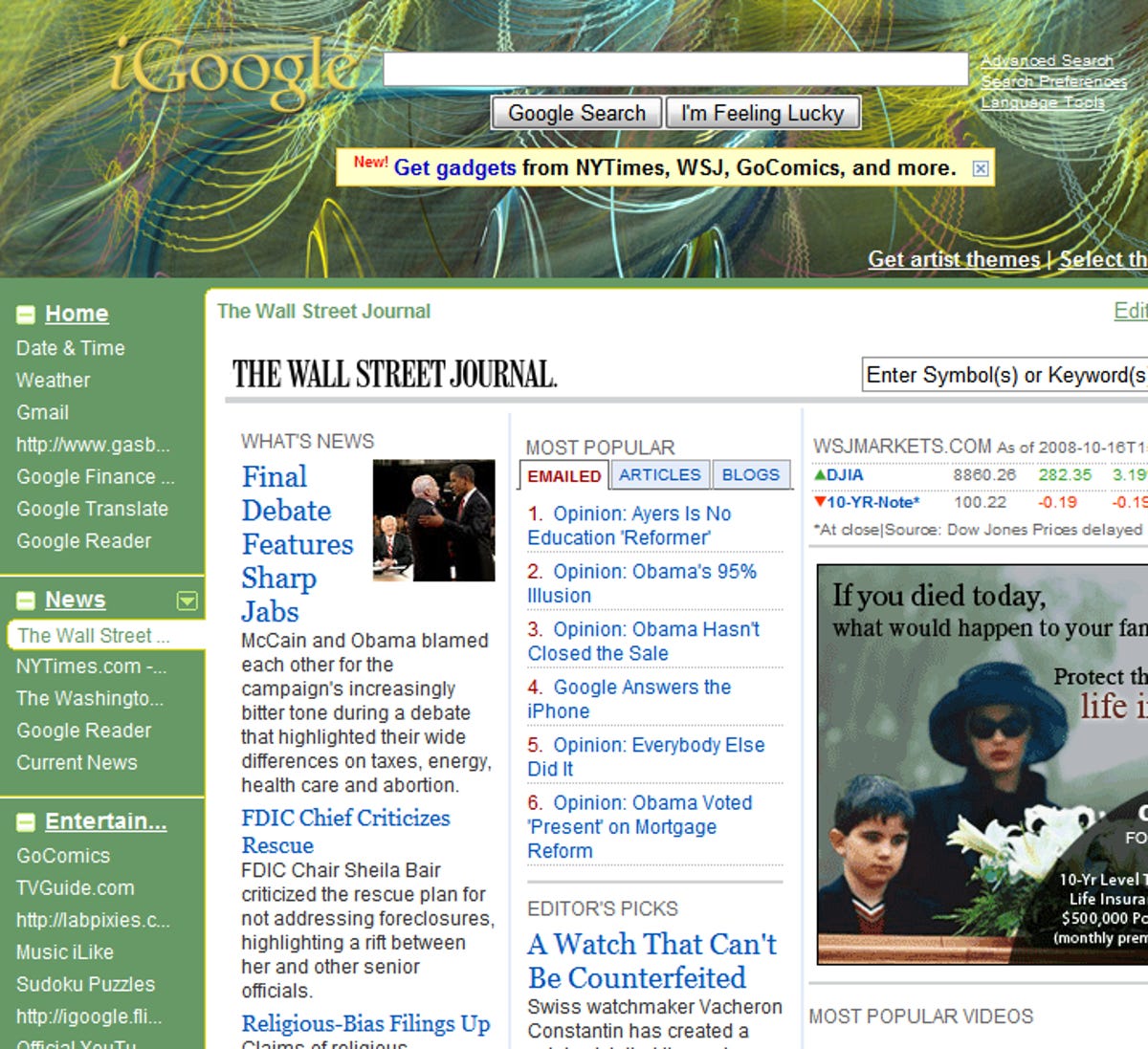
In "canvas view," a widget can take up the entire iGoogle display area.
Rafe Needleman writes about start-ups, new technologies, and Web 2.0 products, as editor of CNET's Webware. E-mail Rafe.


Google needs to include an option to revert the layout to the previous format. Until then, I will be looking for another home page.
Meanwhile, gmail is chaos and a total crud experience ---- like the SEND option has been removed from the top of Compose window and requires scrolling to the bottom of email thread to find SEND, and so much more.
The transition to the new iGoogle was so heavy handed and that was very unnecessary.
Does anyone remember the days when Google would hint that a new feature was available and you'd rush to try it because it was cool? Are those days really gone? Such a shame...
Why not add the canvas feature to the original version and leave the position of the tabs as a choice of the user.
The user feedback on this change has been very critical. I, like many, want my old layout back.
Right now I am lookinig for alternatives to Igoogle..... Know of any?
http://www.google.com/ig
Perhaps its time to find a Google doll to sit next to Gates and stuff pins into?
It's a little tricky, especially if you have vision problems like I do. If you get too close to the word, it won't let you click. But just a little to the right of the word will work. Hope this helps everybody!! Good Luck!
I don't get it, I can't find the little X to the left of the tab setting on my "new" I-google layout.
"Well, I think I found the fix. Click on the little down arrow on any one of the tabs and choose 'edit this tab'. Down at the bottom is the "show a short description" box. Uncheck it. I did and my iGoogle is back to the way it was."
Tried this and it didn't work for me.
So far the only way to get around this problem is to use a non-USA site such as Canada, Ireland or UK, all of hom still use "old" I-google settings. Maybe Google will introduce a "Classic" I -google setting for users who prefer the old look and feel.
http://www.google.ca/ig
Anyone have a recommendation on an alternative to iGoogle.
-
by nsteblay
October 17, 2008 4:17 AM PDT
- I don't understand why Google couldn't roll this out as a beta to get feedback before dropping it blindly on thousands of people. What did they expect?! Who made this decision? I think we should start calling them Googlesoft.
-
Reply to this comment
-
-
-
by sanyanet
November 22, 2008 2:02 AM PST
- "Googlesoft" was just brilliant!!!
-
-
Showing 1 of 3 pages (48 Comments)