 Why You Can Trust CNET
 Comparing Kindle 2 with Kindle's iPhone app
As an owner of both a Kindle 2 and an iPhone 3G, CNET's Nicole Lee sets out to compare and contrast Amazon's e-book reader and its application for Apple devices.




I bought a Kindle 2 last week, after a year of waiting for the second iteration of Amazon's e-book reader. I was hesitant at first, as I still love reading hardcover and paperback books, but the free cellular Web access and the addition of magazine subscriptions from publications like The New Yorker had me convinced.
I've had it for a week now, and I love it. It feels great in my hands, and the e-ink screen creates the illusion of reading a real book. I can hold it in my hand and read from it for hours.
I also have an Apple iPhone. I've tried e-book applications like eReader and Stanza, but I just didn't find the reading experience very satisfying.
It's OK for short chunks of reading, while waiting in line or sitting on the bus, but not on a lazy Sunday afternoon around the house. Holding a small device like that for long periods of time just isn't comfortable, plus the small LCD screen can be hard on the eyes after a while. And, of course, there are books only available for the Amazon Kindle that are not at any other e-book store. It's this last criteria that really forced my hand when purchasing the Kindle 2.
So when I first heard that Amazon released the Kindle application for the iPhone (download), I immediately second-guessed my purchase of the Kindle 2. Did I make a foolish buy? Why wasn't I patient enough to wait for the iPhone application? A free iPhone app is definitely a lot cheaper than the $359 for the Kindle 2. So I downloaded the Kindle for iPhone application to find out whether I should send my Kindle 2 packing with a return slip.
When you first launch the application, it'll prompt you for your Amazon log-in information. Enter that in, and you're presented with the Home screen. If you already have a Kindle, like me, you'll see an Archived items folder with all of your Kindle purchases already there for you to download.
Using Amazon's Whisper Sync, it will also communicate with Amazon's servers to let you keep track of where you are in a book, so you can pick up where you left off in either the Kindle or the iPhone.
Bear in mind that it won't sync up samples--only books you've actually purchased. This makes me feel a little better about having a Kindle, since now I'll be able to leave my Kindle at home and continue my reading on the iPhone, and vice versa.
Like on the Kindle e-book, you can bookmark pages, increase the font size, and access the table of contents. You can buy a book or download a sample directly to your iPhone, be it via 3G or Wi-Fi. Turning the page is as easy as swiping the iPhone's touch screen.
There are several important caveats, however. The iPhone Kindle application supports only books, not periodicals, so I wasn't able to download my weekly New Yorker magazine or my daily New York Times subscription, though I guess you can just surf on over to those sites via Safari (or check out The New York Times' iPhone app).
Also, there is currently no way to buy and browse Amazon books within the application. Instead, you'll have to go through a Web browser, such as Safari for the iPhone. Then head to the Amazon Kindle Store, buy a book, and it'll show up on your iPhone.
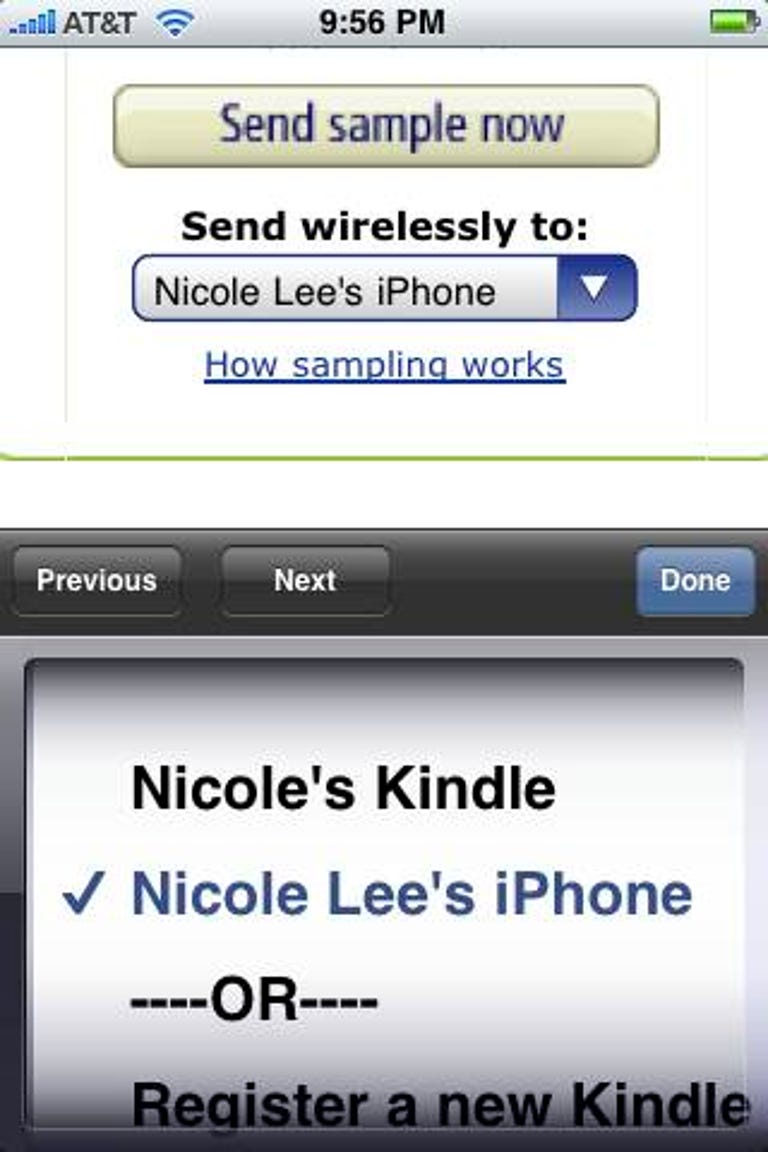
Having to switch between two different applications like this is very annoying and is a serious downside to the Kindle iPhone app. If you have both a Kindle and an iPhone, but want to download a free sample to your iPhone only, make sure to select your iPhone's name in the drop-down menu under the "Send sample now" button.
Also, the Kindle iPhone application does not resolve my earlier complaint about reading e-books on the iPhone. Reading on the iPhone's screen for a long duration is just not very enjoyable. This is especially apparent if you encounter long paragraphs with no breaks in the text--the entire screen of the iPhone becomes just one block of words and can be difficult to read. If you want it for reading in short bursts however, this is acceptable. But for longer reading while relaxing on the couch, the Kindle wins.
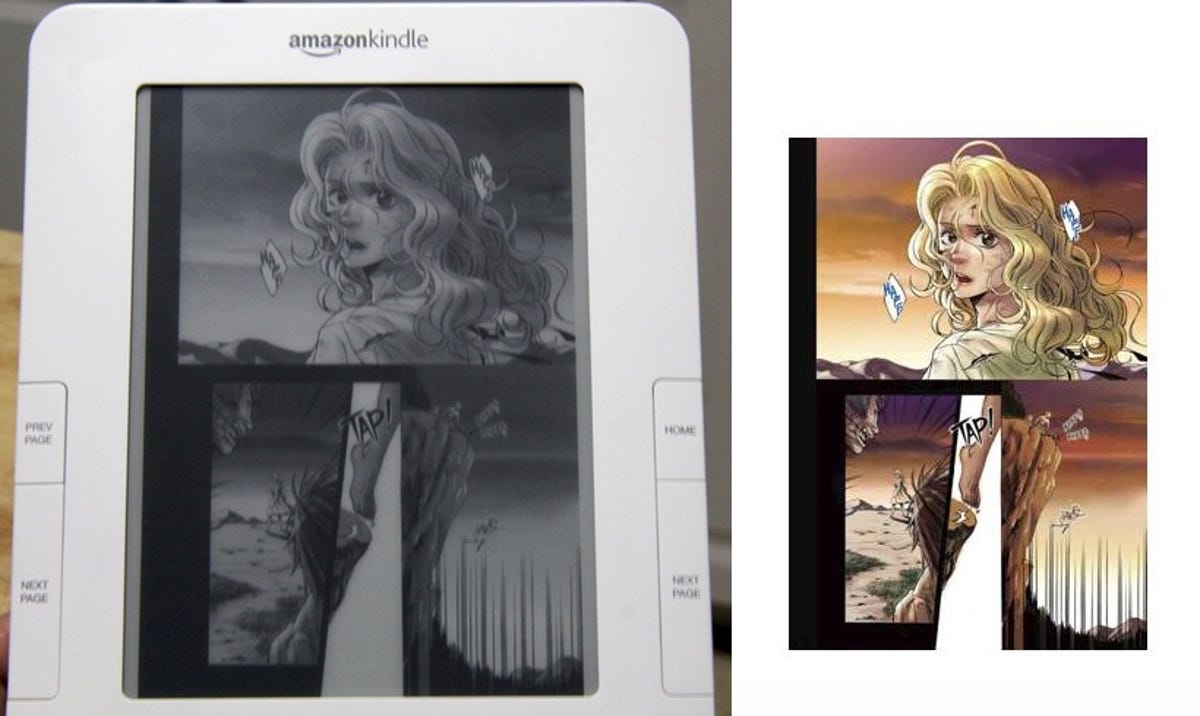
There is one potential advantage the iPhone has over the Kindle, and that is color. Why would you want color in an e-book? Why, for comics, of course. I'm a big comic book fan, so I went looking for comics in the Amazon Kindle Store to see how it would look on the new Kindle 2 with its 16 shades of gray.
There aren't a lot of choices out there, so I just downloaded a few samples to check them out. The results are not that great, I'm sad to say. Each comic page is considered an image, so it's a little slower to download.
I was fine with the gray shading, but the comic format does not quite fit the size of the Kindle 2's screen. Smaller format books like manga digests look a little better, however. Still, navigating the pages is a pain. There's no way to zoom in and out of panels, and if I wanted to enlarge the images to full size, I had to do so for each page. Plus, word balloons are almost impossible to read, since I can't zoom in.
I downloaded those same comic samples to the Kindle application on the iPhone. I still couldn't zoom in, and it's still hard to read the word balloons, but I was awed and amazed that they arrived in full-blown color. Yes, I couldn't read any of them, but it gave me a small glimmer of hope that maybe someday, there'll be a way. Until then, I guess I'll have to live with the individually sold iVerse comic applications.
So if you're trying to choose between the Kindle hardware and the iPhone version, which should you pick? It depends. If you don't read that much, or if you plan on using the e-book reader as merely a supplement to your reading, the iPhone Kindle application is probably enough for you. But if you want something that will not only supplement, but replace, a lot of your reading material, the Kindle is a much better bet.