Chrome-on-Mac precursor rough but workable
The development project underlying Chrome for the Mac is buggy, but CNET News' Stephen Shankland is cautiously impressed with the progress thus far.


- Shankland covered the tech industry for more than 25 years and was a science writer for five years before that. He has deep expertise in microprocessors, digital photography, computer hardware and software, internet standards, web technology, and more.
Update 9:19 a.m. PDT: I redid the benchmarks, and Firefox fared better.
I spent the better part of Monday trying out the Mac OS X version of Chromium, the open-source project on which Google Chrome is based, and I'm favorably impressed.
The software, available for download from the Chromium Web site, is incomplete and definitely buggy, as one would expect for a developer version that reflects all the latest changes programmers are making with the project. But for Mac users who've been clamoring for the software, I can tell you that overall, it works, and it shows glimmers of what I liked about the open-source browser on Windows.
I used build 15752, released at 8 a.m. PDT, but just to give you a flavor of the pace of publicly available Chrome development, 19 new versions arrived in less than 12 hours afterward.
So you'd be ill-advised to call this well-tested software that's had time to mature into stability. But I think it's good enough for the Mac curious to try.
There was a day, about a decade and a half ago, when a Web browser was a revolutionary technology. Google's browser is not that, but Chrome does have its moments, in my opinion: high performance in launching, loading pages, and running Web-based JavaScript programs; a get-out-of-the-way user interface; and a combination search and Web address bar called the Omnibox (though it should be noted that many see the Omnibox as a privacy invasion, not a useful tool).
Those advantages aren't enough to get most folks to install a new browser, much less uproot and change to a new default. But if you're a tech enthusiast, give it a whirl, and if you're a Web developer, take it seriously, given Google's muscle and its stated ambition to use Chrome to advance the state of the art for Web applications.
Google has put a lot on the line with the project, pushing Chrome by funding many programmers, paying for TV ads and launching promotional stunts, and Google is moving fast, and it's catching up to rivals' features.
Here's a snapshot of today's to-do list. Extensions, which in Chrome's case reuse Web page coding methods, are gradually maturing and should be available in more than their present rudimentary state. Themes, which will permit a custom look to the browser, are imminent: A "first pass" at the technology arrived Saturday in what will become a new developer version of Chrome.
Local storage, a feature of the still-unfinished HTML 5 standard that can improve performance and let Web applications work better offline, is due "real soon now," according to Chrome programmer Aaron Boodman. RSS feed subscription is en route.
"Stay tuned for some exciting new features we hope to land in the Dev channel," said Google Chrome Program Manager Mark Larson in a blog post Friday.
The worst shortcoming I found for ordinary Web surfing was that Adobe Systems' widely used Flash technology didn't work. Sure, that means I didn't have to grimace through the Intel Sponsors of Tomorrow demo of banana aerodynamics, but it also means YouTube didn't work, which is a showstopper.
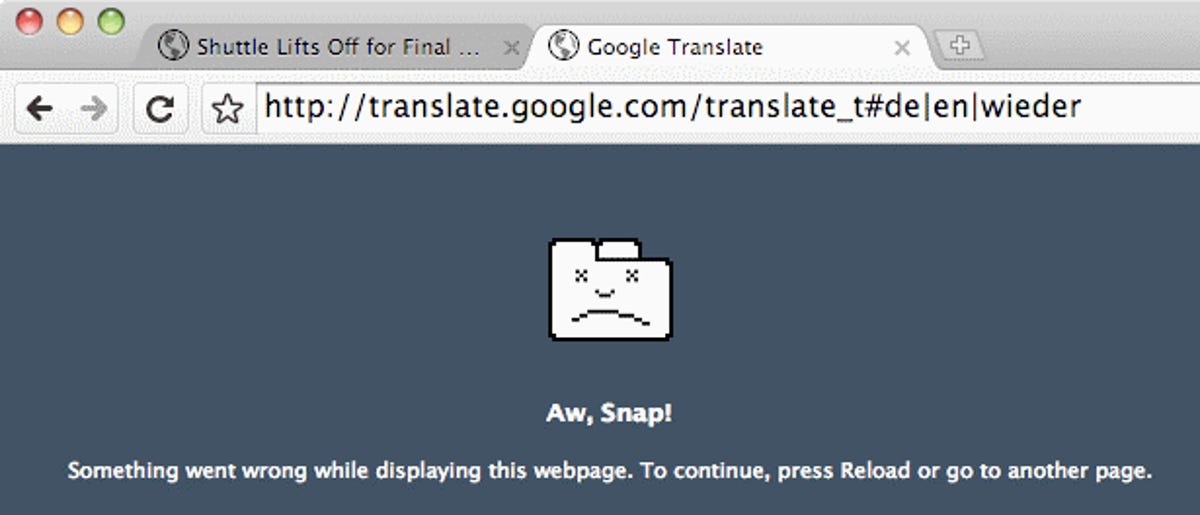
Also in my day's testing I got three crashes, none during particularly unusual activities. The first, while clicking a link in a Gmail message, took down the whole browser. The second two--while using Google Translate and Facebook chat--just crashed the tab while the rest of Chromium marched on unfazed.
Three crashes in a day is bad, but again, this is about as raw and untested as software gets, so I'll cut the developers slack.
I also had other problems. In Gmail, attachments didn't work, and in a Gmail message, labels were stacked on top of each other instead of running side by side. I had some sluggish visits of Web pages. I missed some keyboard shortcuts to command the browser to show downloads and to move back to the last page, for example. Google Docs wouldn't load until I appended the "?browserok=true" option to the Web address, and then, as with some other sites, it trouble with its frame across the top of the page.
But most pages did work for me, even ones such as Yahoo Mail and Microsoft Hotmail where I've had new-browser teething problems in the past. Most straight-up Web pages rendered just fine and only broke down when dealing with more elaborate JavaScript actions.

Even better, Chromium loaded them very quickly in my unscientific side-by-side tests of Firefox 3.5 beta 4, Safari 4 beta, and Chromium. I was trying this out on a 2.8GHz dual-core MacBook Pro with Mac OS X 10.5.6.
Somewhat more quantified were my launch-speed tests. Here, Chromium and Safari tied at about 3 seconds to launch after a reboot, though subsequent relaunches were all faster at about a second. One of the most pleasurable aspects of Chrome on Windows for me is its near-instant launch, especially given my need to reboot Windows XP about once a day, so I was glad to see this performance on the Mac, as well.
I'm also glad to see Mozilla has put faster launch speed in its priority list for the successor to Firefox 3.5, but to be fair, it's the only browser here that has extensions, so I'm willing to overlook a bit of programming overhead.
Then I did some real tests of JavaScript speed. All three browsers have been pushing heavily to improve how fast Web-based programs written in this language perform, with the likely end result that we'll see faster and richer Web applications. Google, developer of JavaScript-powered Web apps such as Gmail and Google Docs, has the most at stake of these browser vendors.
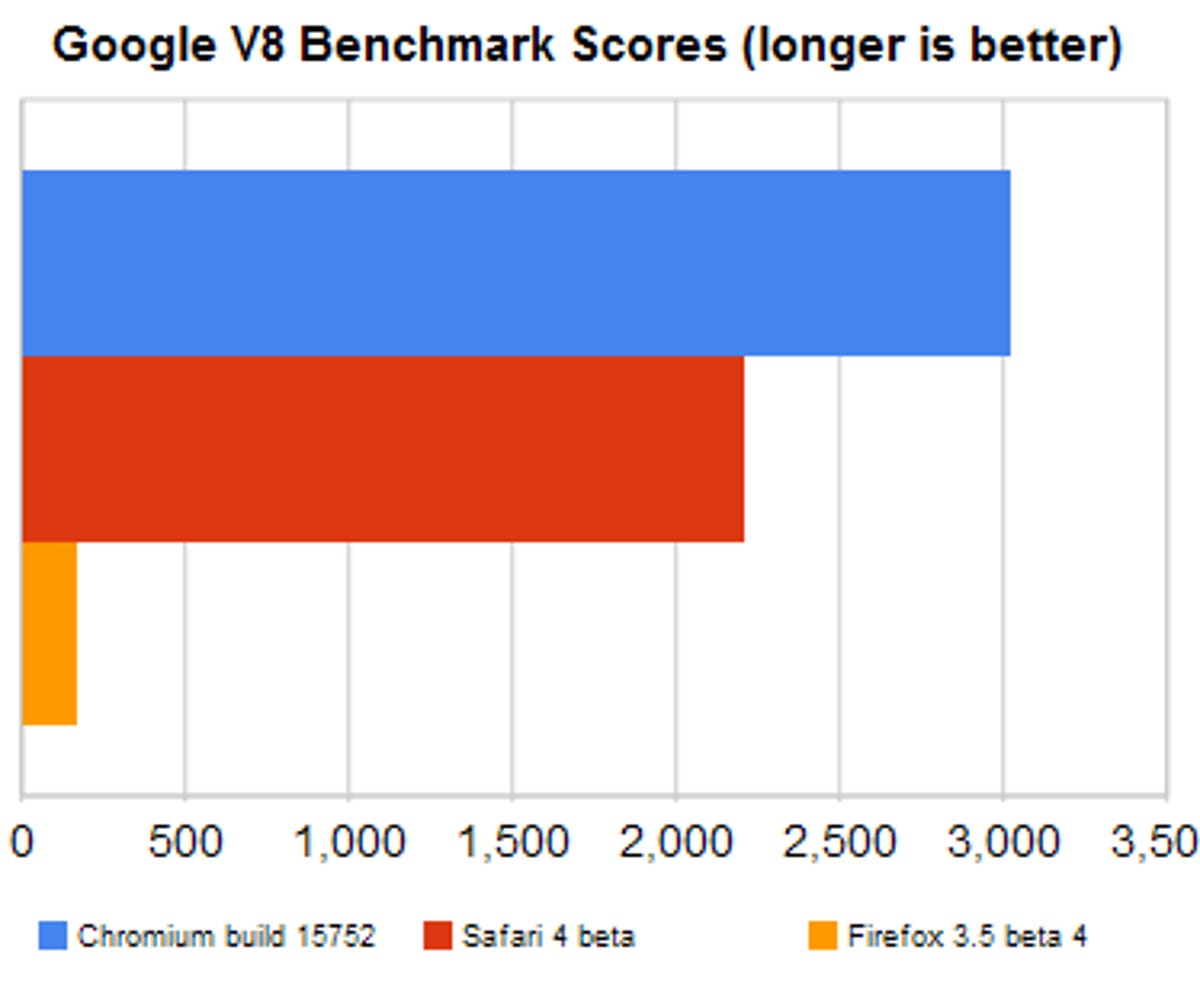
So it was interesting to see that on two prominent JavaScript speed tests, SunSpider 0.9 and Google's V8 benchmark, Chromium came out on top. On V8, where big numbers are better, Chromium scored 3,012 to Safari's 2,208 and Firefox's meager 168. On SunSpider, where short scores are better, Chromium scored 677 to Safari's 694 and Firefox's 1,059.
Note: I re-ran all these tests after a reader report that showed Firefox wasn't so bad. Indeed, it fared better on SunSpider after a reboot, and Safari moved up a bit on the V8 test.
However, on the Google-sponsored JavaScript Experiments site, Chromium on the Mac didn't fare as well.
On my favorite, Ball Pool Chromium couldn't handle the sloshing window-shake effects, and it looked to me like it lagged Safari in performance. Both fared better than Firefox, which was poky.
On another, RayTracer, Chromium handled the default graphics rendering in 5.8 seconds to Safari's 8.5 and Firefox's 25.6. On Wavy Scrollbars, Safari worked with aplomb, Chromium was broken with a static display, and Firefox wouldn't load it at all.

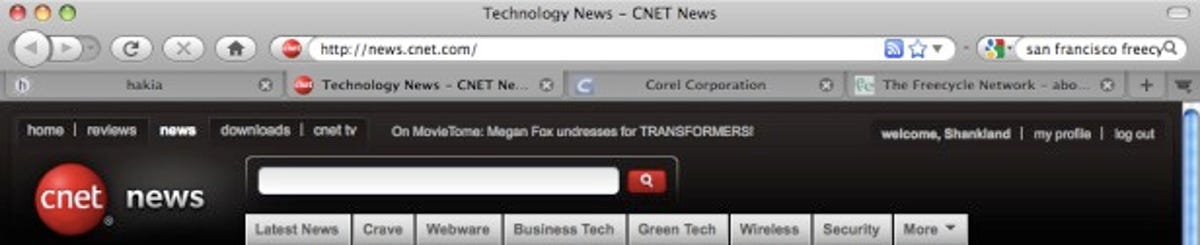

One Chromium-on-Mac aspect I was particularly curious about was to see how well the software fit in with the Mac. Would Google aim for something that looked identical to the Windows version, or try to fit in with the general Mac user interface?
Overall, the answer is the latter. For example, the Windows version puts its two menus for dealing with windows and tools to the right of the combination address and search bar Google calls the Omnibox. On the Mac version, menus are the plain old kind in the menu bar that always lives across the top of the screen, disassociated from the browser window itself.
And Chrome's blue color scheme on Windows adopts the Mac's neutral gray. Apple's subdued window-frame tones are nice when it's time to let the contents of a Web page or application stand out, but I like prefer something punchier when it comes to showing me which tab is active. Chromium on the Mac uses stronger contrast than Firefox and Safari to spotlight the active tab, which is a step forward in usability at least in my tab-infested life.
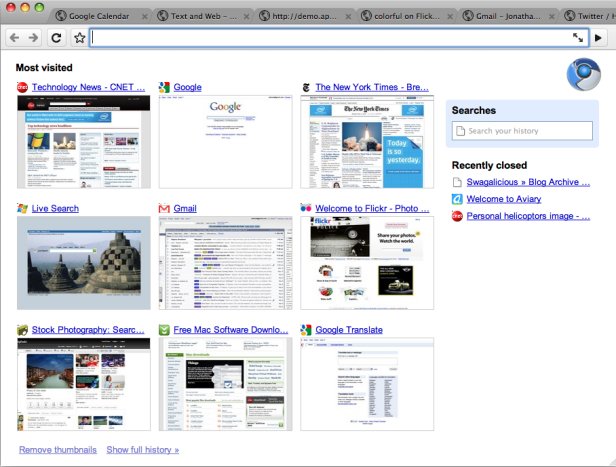
The user interface itself was familiar coming from Windows, aside from the aforementioned menu change. For example, opening the browser or a new tab shows, by default, the array of nine Web page thumbnails that Windows gets.
One of my favorite parts of the Mac, the multitouch trackpad, is largely ignored by Chromium for now, alas.
But I uncovered some niceties, too. First of all, I love the way new tabs sprout up--and that's coming from a person who disables menu animations in Windows. Second, I found that the new-tab view scales down the thumbnails when I shrank the window. It turns out that Chrome on Windows does this, too, but not with live images of the thumbnails resizing, so it's hard to notice.
When I surveyed readers about what it would take to get them to switch to Chrome, the second-place answer was lack of Mac support. Overall, it's clear that the Mac version, while certainly not ready for prime time, is well on its way. So all you curious Mac OS X users, take the plunge.